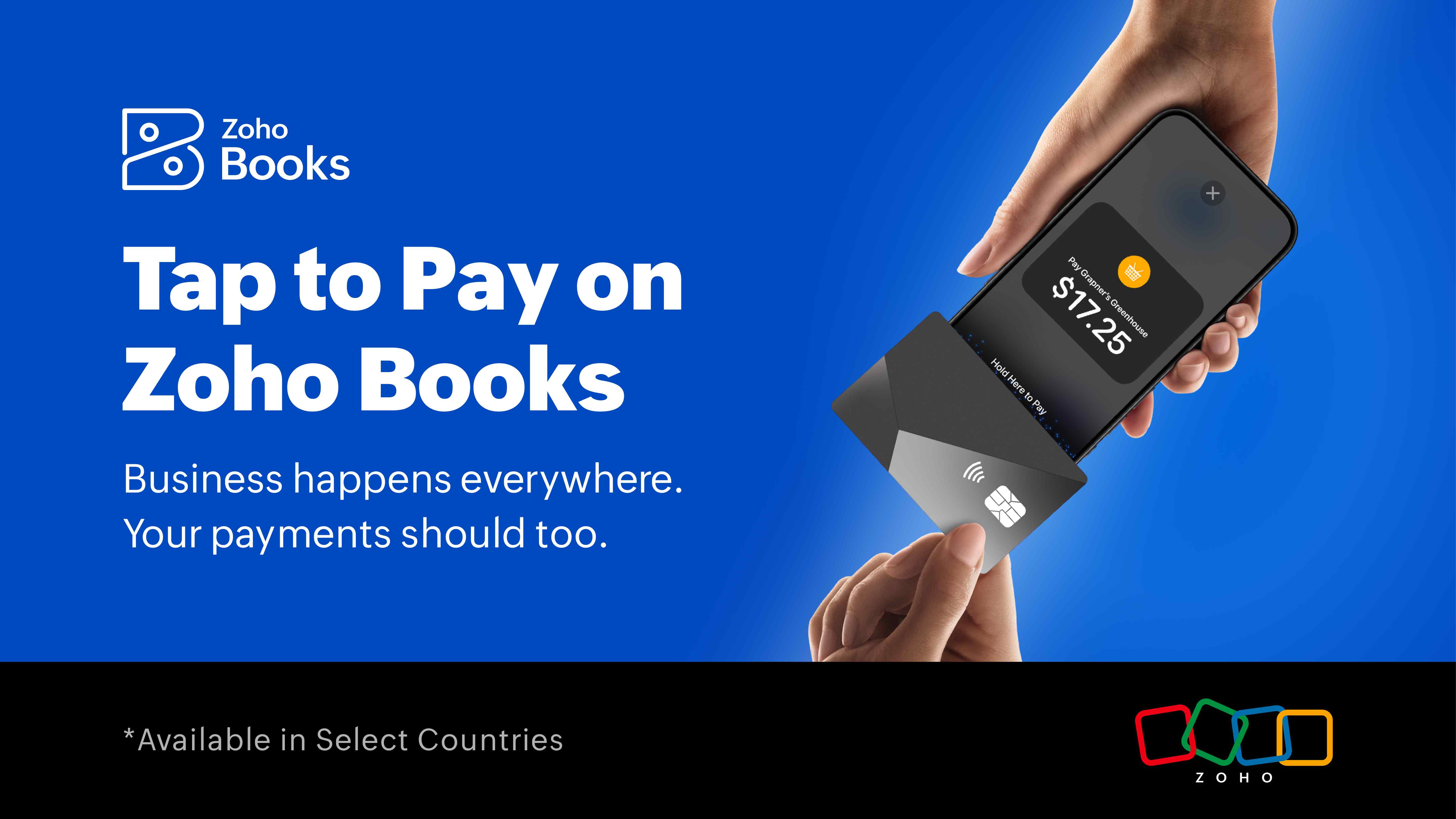
Business today is no longer tied to a desk or a storefront. From business owners in marketplaces to freelancers at client locations, getting paid instantly has become essential. No card readers, no follow-ups on invoices, just seamless, on-the-spot payments right from your mobile. That’s exactly what we have launched.
After the successful launch of Tap to Pay for Singapore, we are excited to announce this capability to more countries on both Android and iOS. Stripe users using Zoho Books can enjoy a simple, reliable way to accept payments on the go. No hardware. No chasing payments later. Just your phone.
What is Tap to Pay?
Tap-to-pay is a contactless payment method that enables customers to make contactless payments by simply tapping their card or device on an NFC-enabled mobile device or a point-of-sale (POS) system. As contactless, mobile-driven transactions become the norm, businesses are increasingly adopting tap-to-pay methods to deliver faster, more seamless payment experiences.
Building on this, the Tap to Pay feature for iPhones was first launched in for the Zoho Books Singapore edition, in partnership with Stripe. We’re now bringing the same capability to Malaysia, where Zoho Books is among the earliest adopters of tap-to-pay for iPhones in the country.
*Tap to Pay is currently available in select countries, with more being added. Check your country's availability in the table below.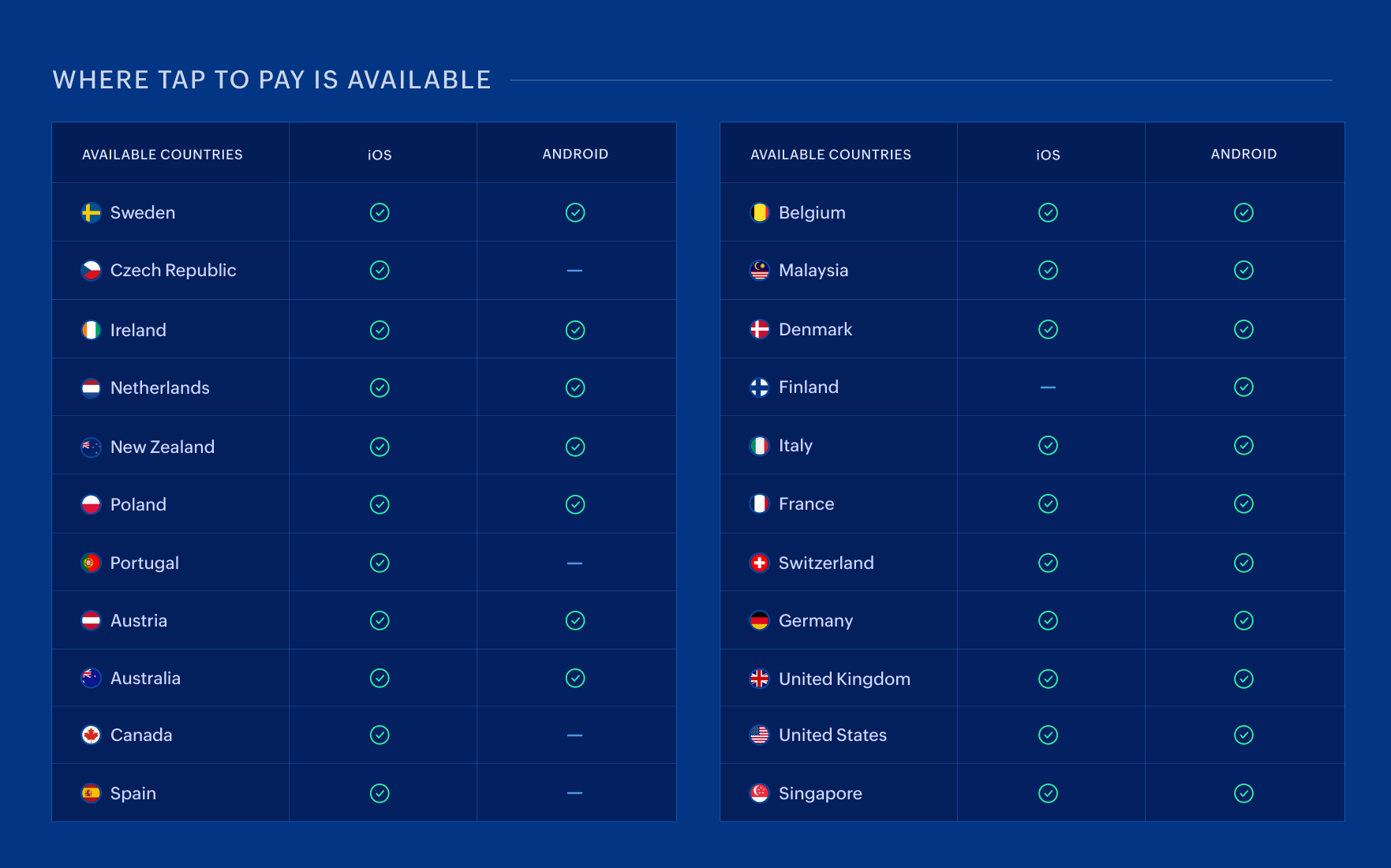
Where Tap to Pay makes a difference
The Tap to Pay feature is built for the way modern businesses operate—flexible, mobile, and often outside traditional setups. Whether you’re meeting clients, working on-site, or selling on the move, it enables you to collect payments instantly without relying on additional hardware or delayed invoices.
Here are some of the many ways businesses can use Tap to Pay:
Freelancers and consultants can collect payments immediately after a session or consultation, eliminating follow-ups and speeding up cash flow.
Retailers at markets, exhibitions, and events can accept contactless payments on the spot, without needing a physical POS system.
Service-based businesses such as plumbers, electricians, cleaners, or tutors can get paid right after completing a job, directly at the customer’s location.
Small business owners who don’t want to invest in card machines can still offer a seamless card payment experience using just their phone.
No matter how or where you do business, Tap to Pay ensures you’re always ready to receive accept payments when it matters most.
Payments that power your books
What sets Tap to Pay on Zoho Books apart from standalone payment apps is that your accounting is handled automatically. Every Tap to Pay transaction is instantly recorded, matched to the right invoice, and reflected in your financial reports.
No manual entry. No end-of-day reconciliation. Just accurate books, updated in real time.
How it works: Getting started with Tap to Pay
Enable Tap to Pay
Getting started with Tap to Pay on the Zoho Books mobile app is quick and straightforward.
Open the Zoho Books mobile app.
Tap More.
Go to Settings.
Turn on Tap to Pay.
Once enabled, you’re ready to start accepting contactless payments directly from your phone.
Receive payments
Once Tap to Pay is enabled, collecting payments is simple and quick.
Open the Zoho Books mobile app.
Go to the Invoices module.
Select the invoice you want to collect payment for.
Click Tap to Pay.
Enter the amount and tap Collect Payment.
Hand over your phone and ask the customer to place their card in the “Hold Here to Pay” area.
When your customers are ready to make a payment, they need to:
Hold their card against your mobile device until you see the success tick.
Remove the card once the payment is successful.
Once the payment is successful, the amount will be credited to your account.
What’s in it for your business?
Get paid instantly — No more “I’ll transfer it later to your account.”
No extra hardware — Accept card payments without a POS device.
Automatic reconciliation — Every payment is recorded and matched in Zoho Books.
Instant receipts — Send professional digital receipts to customers right away.
Get paid instantly, with confidence
With Tap to Pay, Zoho Books brings seamless, on-the-spot payments into your everyday workflow. Whether you're working on the move or meeting customers in person, you can now collect payments instantly without extra hardware or delays.
Download the Zoho Books mobile app on Android or iOS and start getting paid the moment the work is done while enjoying the rest of the app's on-the-go accounting capabilities.

Comments